



Finding a reliable wireless keyboard that fits a budget can be challenging. Several options stand out for their functionality and design. The Amkette Optimus Bluetooth XL offers versatility across devices, while the HP K260 emphasizes simplicity. For those seeking a unique look, the Acer Clearview presents an interesting choice. Finally, the FINGERS TeenyClicks caters to portability. Each option has merits worth considering, but which one is the best fit for your needs?
- Amkette Optimus Bluetooth XL Wireless Keyboard
- HP K260 Wireless Keyboard
- Acer Clearview Curved Transparent Wireless Rechargeable Keyboard
- FINGERS TeenyClicks Wireless Mini Bluetooth Keyboard (3-in-1)
- Factors to Consider When Choosing Budget-Friendly Wireless Keyboards
- Connectivity Options Available
- Compatibility With Devices
- Design and Ergonomics
- Typing Experience Quality
- Battery Life Duration
- Portability and Weight
- Price and Value
- Conclusion
Amkette Optimus Bluetooth XL Wireless Keyboard

The Amkette Optimus Bluetooth XL Wireless Keyboard stands out as an ideal choice for professionals and multitaskers seeking a versatile and efficient typing solution. With its 4-in-1 multi-device connectivity, users can effortlessly switch between three Bluetooth devices and one 2.4GHz wireless connection. The keyboard’s compatibility spans across Windows, macOS, Android, and iOS, ensuring a seamless experience. Its pop-keys design paired with silver membrane switches delivers a satisfying, precise typing experience, while the ergonomic full-size layout enhances comfort. Additionally, dedicated multimedia controls and power-saving features make it a practical choice, powered by two replaceable AAA batteries for portability.
Best For: Professionals and multitaskers who need a versatile and efficient typing solution across multiple devices.
Pros:
- 4-in-1 Multi-Device Connectivity: Easily switch between three Bluetooth devices and one 2.4GHz connection.
- Multi-OS Compatibility: Works seamlessly with Windows, macOS, Android, and iOS.
- Ergonomic Design: Full-size layout and pop-keys design provide comfort and a satisfying typing experience.
Cons:
- Battery Replacement: Requires two AAA batteries which need to be replaced periodically.
- No Built-in Rechargeable Battery: Lacks a built-in rechargeable battery, making it less convenient for some users.
- Limited Backlighting: Does not feature backlit keys, which may be a drawback for use in low-light environments.
HP K260 Wireless Keyboard
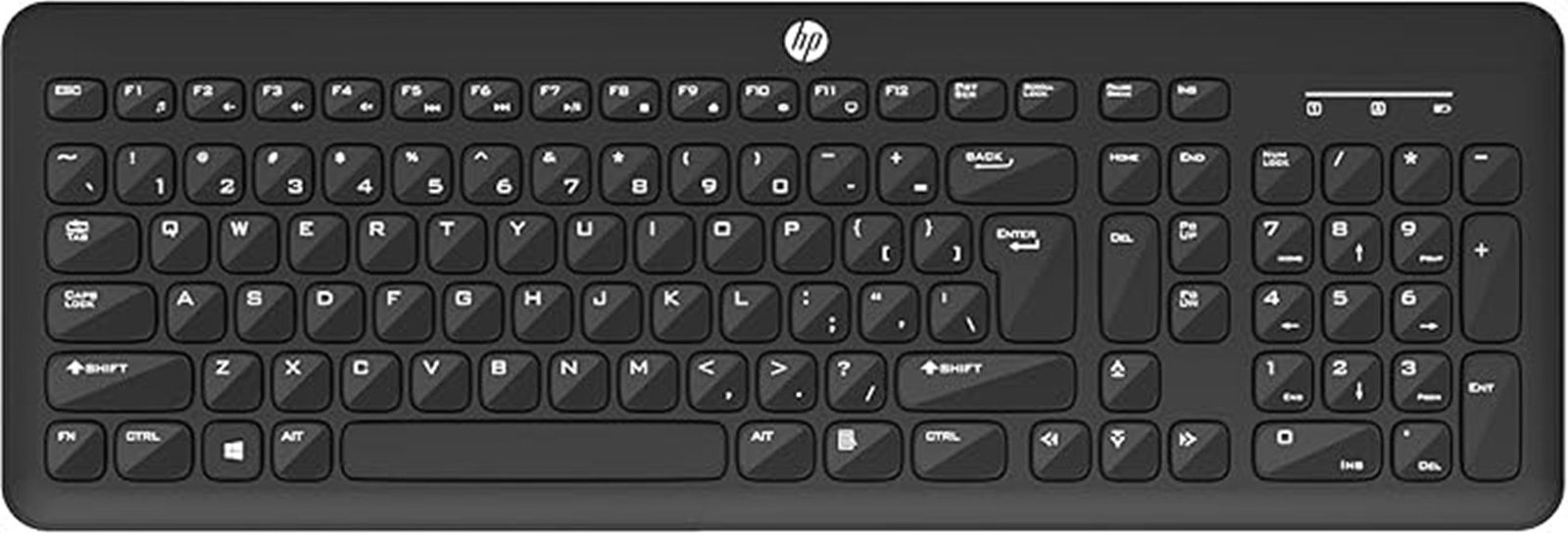
Offering a chiclet-style, low-profile design, the HP K260 Wireless Keyboard is an excellent choice for individuals seeking comfort and efficiency during long typing sessions. This keyboard is crafted to fit the natural wrist position, ensuring optimal comfort for all-day use. Users will appreciate the quick, comfy, and accurate keystrokes that enhance typing efficiency, making it suitable for both work and leisure. Its USB plug-and-play setup allows for a seamless connection to PCs, while LED indicators for Number Lock, Caps Lock, and Scroll Lock remove any guesswork about the keyboard’s status. Overall, it balances functionality with affordability.
Best For: Individuals seeking a comfortable and efficient typing experience during long hours of use.
Pros:
- Chiclet-style, low-profile design promotes ergonomic wrist positioning.
- Quick and accurate keystrokes enhance overall typing efficiency.
- USB plug-and-play setup allows for easy connection to PCs.
Cons:
- Wireless functionality may require battery replacement over time.
- Limited customization options for key functions.
- Potential latency issues in wireless connectivity compared to wired keyboards.
Acer Clearview Curved Transparent Wireless Rechargeable Keyboard
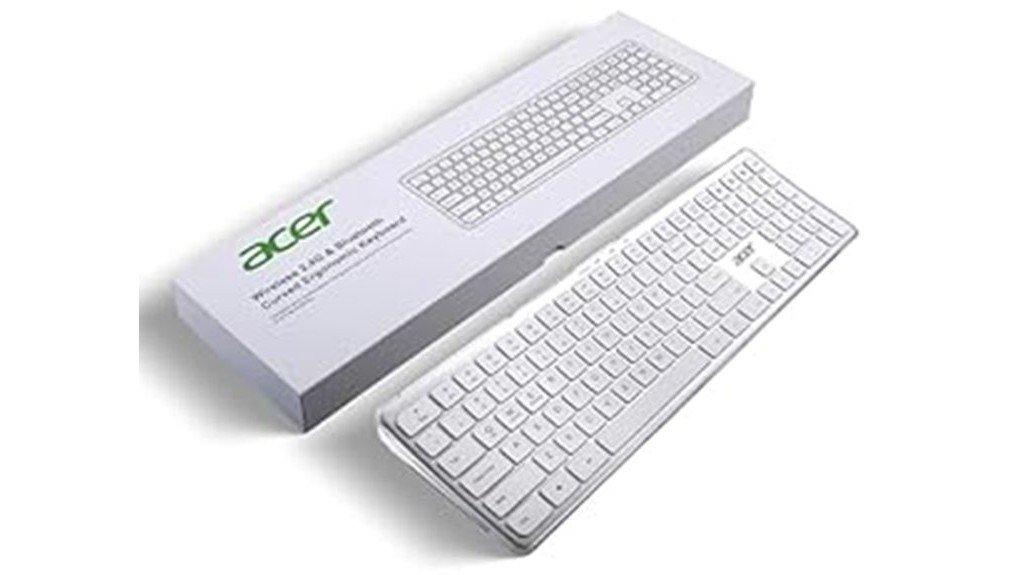
For tech-savvy individuals seeking a versatile and budget-friendly typing solution, the Acer Clearview Curved Transparent Wireless Rechargeable Keyboard stands out with its dual connection options. This keyboard supports multi-device connectivity, accommodating up to three Bluetooth devices and is compatible with iOS, Android, Windows, and Mac systems. Its ergonomic design features a transparent curved base and a standard numeric keypad, ensuring durability with heat and impact resistance. The scissor key mechanism enhances typing feedback and stability, while the Type-C rechargeable battery provides up to 45 days of use after just two hours of charging, making it an efficient choice.
Best For: Tech-savvy individuals looking for a versatile and budget-friendly typing solution that works across multiple devices.
Pros:
- Dual connection options (Bluetooth + 2.4G) allow for easy switching between devices.
- Ergonomic design with a transparent curved base enhances comfort during long typing sessions.
- Long battery life of up to 45 days on a single charge ensures minimal downtime.
Cons:
- Weight of 822 g may be cumbersome for portable use.
- Compatibility limitations may arise with certain older devices or software.
- Price point might be higher compared to basic keyboard options.
FINGERS TeenyClicks Wireless Mini Bluetooth Keyboard (3-in-1)

Compact and lightweight, the FINGERS TeenyClicks Wireless Mini Bluetooth Keyboard is an excellent choice for users seeking versatility on the go. This 3-in-1 device connects seamlessly to up to three gadgets across various operating systems, including Windows, macOS, and Android. The keyboard features X-Type scissor keys for a smooth typing experience and is protected against dust and moisture. With a remarkable battery life of up to 45 days and a durability rating of 10 million keystrokes, it’s built to last. Weighing only 304 grams, it’s ideal for travel, making it a practical addition to any tech setup.
Best For: Users seeking a versatile and portable keyboard for multi-device connectivity and a smooth typing experience on the go.
Pros:
- Compact and lightweight design makes it easy to carry around for travel or use in cafes.
- Long battery life of up to 45 days ensures minimal interruptions during use.
- Durable construction rated for 10 million keystrokes, providing reliable performance over time.
Cons:
- Limited to battery power, requiring periodic battery replacements which may be inconvenient.
- Customer ratings of 3.9 out of 5 stars suggest mixed user experiences and potential quality concerns.
- No backlighting, which may be a drawback for users who type in low-light conditions.
Factors to Consider When Choosing Budget-Friendly Wireless Keyboards
When selecting budget-friendly wireless keyboards, several key factors come into play. Connectivity options, compatibility with devices, and design ergonomics are crucial to ensure usability. Additionally, the quality of the typing experience and battery life can significantly influence overall satisfaction with the keyboard.
Connectivity Options Available
Although budget-friendly wireless keyboards offer a range of connectivity options, selecting the right one can significantly enhance the user experience. Keyboards with multi-device connectivity allow users to switch seamlessly between multiple Bluetooth devices or utilize a combination of Bluetooth and 2.4GHz wireless connections. Additionally, ensuring compatibility with various operating systems, such as Windows, macOS, Android, and iOS, is vital for integration and functionality. Ergonomic designs can improve comfort during prolonged use, thus enhancing typing efficiency. Furthermore, dedicated multimedia controls provide quick access to essential functions like volume and playback, streamlining workflow. Finally, evaluating power sources—whether rechargeable or replaceable batteries—can ensure longevity and convenience in daily use, making these features crucial when selecting a budget-friendly wireless keyboard.
Compatibility With Devices
Selecting a budget-friendly wireless keyboard involves careful consideration of compatibility with various devices. It is essential to ensure that the keyboard supports multiple operating systems such as Windows, macOS, Android, and iOS, facilitating versatile usage. Keyboards offering multi-device connectivity enhance productivity by allowing simultaneous connections to several devices. Additionally, the presence of dedicated switching keys enables seamless transitions between connected devices, minimizing disruptions during use. Compatibility with a range of devices, including desktop computers, laptops, tablets, and smartphones, is crucial for a comprehensive setup tailored to user needs. Finally, evaluating whether the keyboard accommodates different configurations, such as full-size layouts or compact designs for portability, can significantly influence the overall user experience.
Design and Ergonomics
Comfort plays a pivotal role in the effectiveness of budget-friendly wireless keyboards, influencing both user experience and productivity. The design, whether a full-size layout or a chiclet-style, can significantly affect comfort during prolonged use. Ergonomic features, such as wrist rests and adjustable key tilt, help maintain a natural wrist position, reducing strain and improving posture. The key mechanism, whether utilizing scissor keys or membrane switches, impacts feedback and comfort levels. Additionally, a compact and lightweight design enhances portability, making these keyboards suitable for users who work in various locations. Aesthetic elements, including color and shape, also play a role, as visually appealing keyboards can contribute to a more pleasant workspace environment.
Typing Experience Quality
The typing experience quality of budget-friendly wireless keyboards is a key consideration for users seeking efficiency and comfort in their daily tasks. The key mechanism plays a crucial role, with scissor switches generally providing better stability and feedback than traditional rubber dome switches. Users often prefer a key travel distance of 1.5 to 2.0 mm, which enhances typing speed and accuracy. Ergonomic designs are also vital, as they promote a natural wrist position, reducing strain during long typing sessions. Additionally, the layout of multimedia controls, including dedicated shortcut keys, can streamline workflows by offering quick access to essential functions. Finally, durability ratings, indicating keystroke longevity, suggest the overall reliability of the keyboard over time, making them a wise investment.
Battery Life Duration
Battery life duration serves as a pivotal factor in the selection of budget-friendly wireless keyboards, influencing user satisfaction and productivity. Longer-lasting batteries minimize the frequency of replacements, ensuring uninterrupted use. Keyboards with rechargeable batteries, particularly those featuring built-in options, enhance convenience and sustainability by eliminating disposable batteries. Many budget models can deliver impressive battery lives, with some lasting up to 45 days on a single charge. The battery type significantly affects performance; for instance, AAA batteries may vary based on quality. Additionally, power-saving features like automatic sleep modes can extend overall battery life by reducing energy consumption during inactivity, making it essential for users to consider these factors when choosing their wireless keyboards.
Portability and Weight
When considering budget-friendly wireless keyboards, portability and weight play crucial roles in ensuring convenience for users on the move. Lighter models, typically around 304 grams, enhance portability, making them easier to carry during travel. Compact designs further support this portability, allowing keyboards to fit effortlessly into backpacks or laptop bags without adding bulk. Keyboards with slim profiles, often measuring as small as 28.5 x 13.3 x 1.8 cm, facilitate easy storage and transport. Prioritizing lightweight materials is essential, as they can minimize user fatigue during extended use while maintaining a travel-friendly design. Additionally, the durability of the keyboard is important; models designed for travel should withstand wear and tear from frequent movement, ensuring longevity and reliability.
Price and Value
Finding the right budget-friendly wireless keyboard requires careful consideration of price and value, which can significantly impact user satisfaction. Typically, prices range from $20 to $50, necessitating a balance between cost and functionality. Connectivity options are essential; keyboards that support multi-device connections or various wireless technologies, like Bluetooth and 2.4GHz, enhance usability without a hefty price tag. Durability is another key factor; keyboards with scissor switches or membrane coatings provide long-term value. Additionally, evaluating battery life and power-saving features can lead to reduced ongoing costs, particularly with rechargeable options. Finally, compatibility across different operating systems ensures seamless integration with devices, preventing the need for additional purchases later on.
Conclusion
In conclusion, selecting a budget-friendly wireless keyboard doesn’t mean sacrificing quality or functionality. The Amkette Optimus Bluetooth XL, HP K260, Acer Clearview, and FINGERS TeenyClicks each offer unique features catering to different user preferences. Whether it’s multi-device connectivity, ergonomic design, or portability, these options provide excellent value without compromising performance. By considering individual needs and preferences, users can find a reliable keyboard that enhances their computing experience while staying within budget.