



In the quest for optimal performance without straining the wallet, the selection of monitors under ₹20,000 offers a surprising variety of choices suitable for both general users and avid gamers. Each model, from the sharp 4K display of the LG 27US500-W to the rapid refresh rates of the Lenovo Legion-R25f-30, promises to cater to specific needs and preferences. Exploring these options reveals how one can achieve high-quality visuals and functionality, all while adhering to a budget. To fully appreciate the nuances of each model’s offerings, a closer comparison is essential.
- LG 27US500-W 27 Inch 4K UHD Ultrafine Monitor
- Lenovo Legion-R25f-30 FHD 240Hz Gaming Monitor
- Acer SH242Y G 23.8 Inch Full HD IPS Monitor
- MSI MAG 255F 24.5-Inch FHD Gaming Monitor
- BenQ GW2790Q 27 Inch 2K QHD IPS Monitor
- Factors to Consider When Choosing Must-Have Monitors Under ₹20,000
- Display Resolution & Quality
- Refresh Rate & Performance
- Connectivity & Ports
- Ergonomic Design Features
- Panel Type & Color
- Additional Monitor Features
- Conclusion
LG 27US500-W 27 Inch 4K UHD Ultrafine Monitor
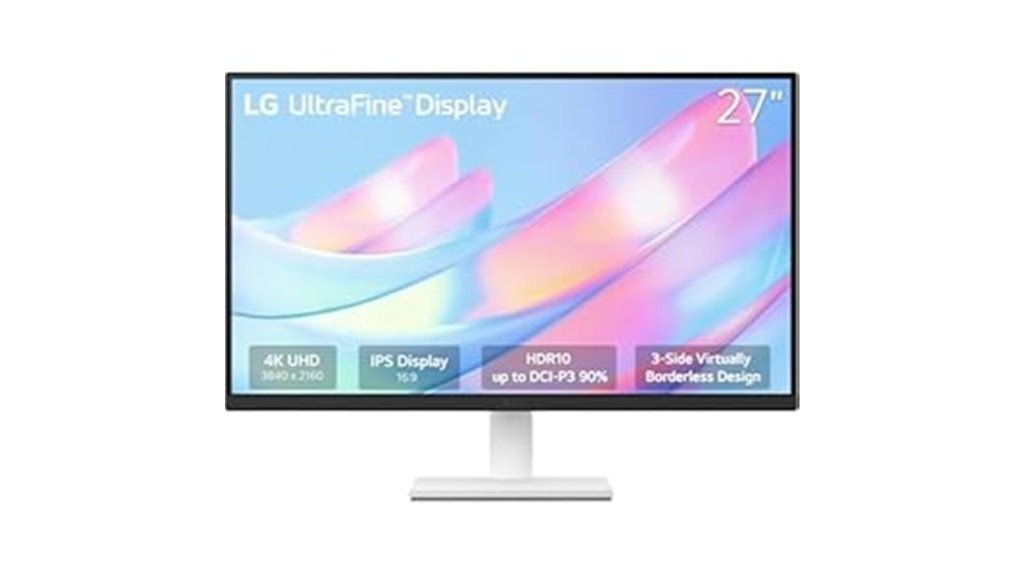
The LG 27US500-W 27 Inch 4K UHD Ultrafine Monitor stands out in the under ₹20,000 category primarily for its high-resolution display, making it an excellent choice for creative professionals and anyone needing precise color accuracy for their work. Its IPS panel delivers a 4K UHD resolution, enhanced by HDR10 and a color gamut covering up to 90% DCI-P3, ensuring vivid and accurate colors. The borderless design and ergonomic stand add to its appeal, facilitating comfortable viewing angles. Although lacking USB ports and built-in speakers, it compensates with superior display performance, solidifying its position as a top contender in its price bracket.
Best For: Creative professionals and users who prioritize high-resolution displays and color accuracy for detailed work.
Pros:
- Superior 4K UHD resolution with HDR10 support enhances visual depth and clarity.
- High color accuracy with 99% sRGB and 90% DCI-P3 coverage, ideal for precision in creative projects.
- Sleek, borderless design with an ergonomic stand for comfortable viewing angles.
Cons:
- Lacks built-in USB ports and speakers, necessitating additional peripherals.
- Not suitable for high FPS gaming due to its 60Hz refresh rate.
- Some users have reported issues with panel quality, including dead or stuck pixels.
Lenovo Legion-R25f-30 FHD 240Hz Gaming Monitor

For gamers seeking optimal performance without breaking the bank, the Lenovo Legion-R25f-30 FHD 240Hz Gaming Monitor stands out in the under ₹20,000 category. This 25-inch display offers a Full HD resolution, rapid 0.5ms response time, and a high 240Hz refresh rate, overclockable to 280Hz for ultra-smooth gameplay. It features excellent color accuracy with 99% sRGB and 90% DCI-P3 coverage, complemented by a bright 380-nit screen. Ergonomically designed, it includes adjustable tilt, swivel, pivot, and height settings. With HDMI and DisplayPort inputs, plus built-in speakers, it combines functionality and performance for the discerning budget gamer.
Best For: Competitive gamers and graphic designers who prioritize high refresh rates and color accuracy without overspending.
Pros:
- High refresh rate of 240Hz, overclockable to 280Hz, ensures ultra-smooth visuals.
- Excellent color coverage with 99% sRGB and 90% DCI-P3, suitable for accurate graphic work.
- Ergonomic design with multiple adjustments including tilt, swivel, pivot, and height.
Cons:
- Limited to 1080p resolution, which might not suffice for users looking for a higher resolution display.
- VA panel may not provide as wide viewing angles compared to IPS panels.
- Speakers are relatively low power at 3Wx2, which might not offer the best audio experience for all users.
Acer SH242Y G 23.8 Inch Full HD IPS Monitor
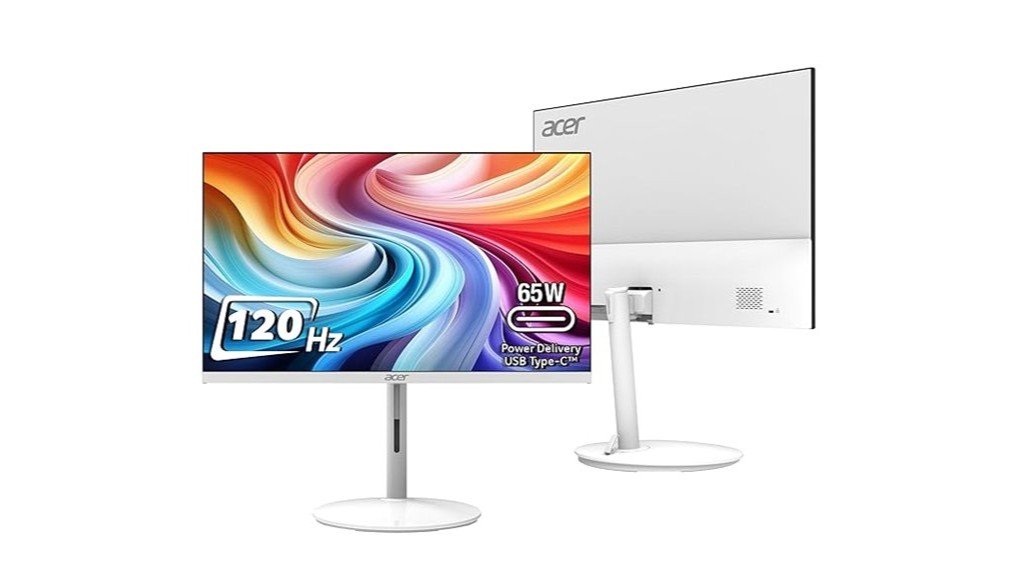
Gamers seeking an affordable monitor that doesn’t sacrifice performance for price will find the Acer SH242Y G 23.8 Inch Full HD IPS Monitor an excellent choice. It boasts a 23.8-inch display with a Full HD resolution of 1920×1080, ensuring sharp, clear images. The monitor offers a high refresh rate of 120Hz and a 1MS VRB, providing smooth, blur-free gameplay. Its ergonomic design features an adjustable stand and VESA mount support, enhancing user comfort. Additionally, the Acer VisionCare and AMD Free Sync technologies minimize eye strain and improve gaming experience, making it a standout option for budget-conscious buyers.
Best For: Gamers and professionals looking for an affordable, high-performance monitor with excellent visual quality and ergonomic features.
Pros:
- High 120Hz refresh rate and 1MS VRB for seamless and sharp gameplay.
- Comprehensive connectivity options including HDMI and Type-C PD (65W) ports.
- Ergonomic stand with tilt, swivel, and height adjustment for optimal viewing comfort.
Cons:
- Maximum brightness of 250 nits may be insufficient for very brightly lit environments.
- Limited to 1080p resolution, which might not satisfy users looking for 4K displays.
- Only includes basic integrated stereo speakers which might not offer the best audio experience for multimedia tasks.
MSI MAG 255F 24.5-Inch FHD Gaming Monitor
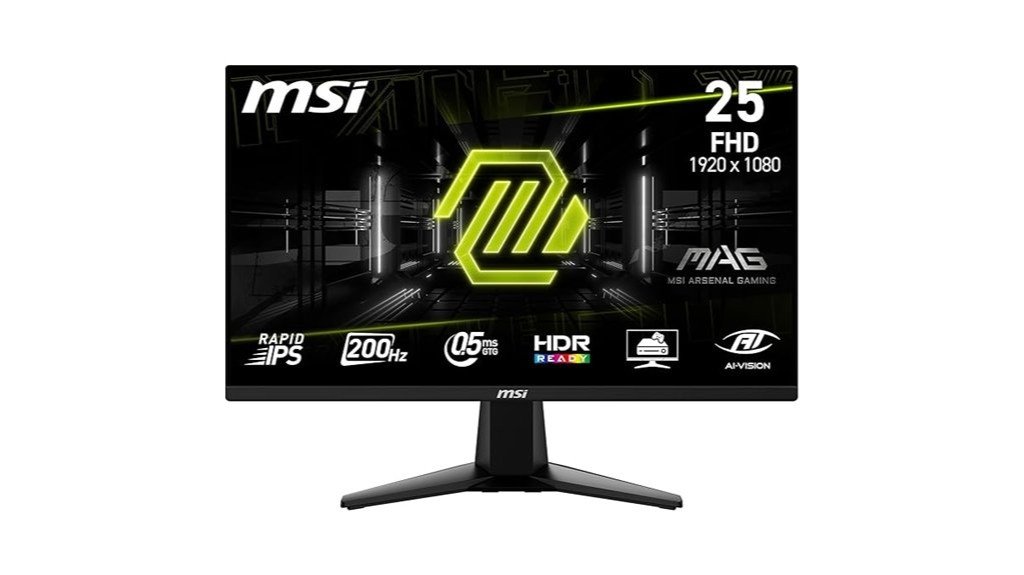
Optimal for esports enthusiasts, the MSI MAG 255F 24.5-Inch FHD Gaming Monitor offers a 200 Hz refresh rate and a 0.5ms response time, ensuring seamless gameplay and superior motion clarity. It features a Rapid IPS panel displaying 1.07 billion colors at 100% sRGB, enhancing visual richness and color precision. The frameless design and tilt adjustability promote a comfortable viewing experience, while HDR Ready and AMD FreeSync Premium improve image contrast and prevent screen tearing. Connectivity is facilitated through HDMI and DisplayPort, supporting high refresh rates, and a 5-way joystick ensures effortless navigation through settings.
Best For: Competitive gamers and content creators seeking high refresh rates and excellent color accuracy.
Pros:
- Ultra-fast 200 Hz refresh rate and 0.5 ms response time for smooth gameplay.
- High color fidelity with 100% sRGB and support for 1.07 billion colors.
- Versatile connectivity with HDMI 2.0b and DisplayPort 1.2a, including support for multiple devices.
Cons:
- Limited to 1080p resolution, which may not satisfy users looking for higher resolutions.
- Lacks USB ports, which can be inconvenient for users with multiple peripherals.
- The stand only offers tilt adjustability, lacking swivel or height adjustment.
BenQ GW2790Q 27 Inch 2K QHD IPS Monitor
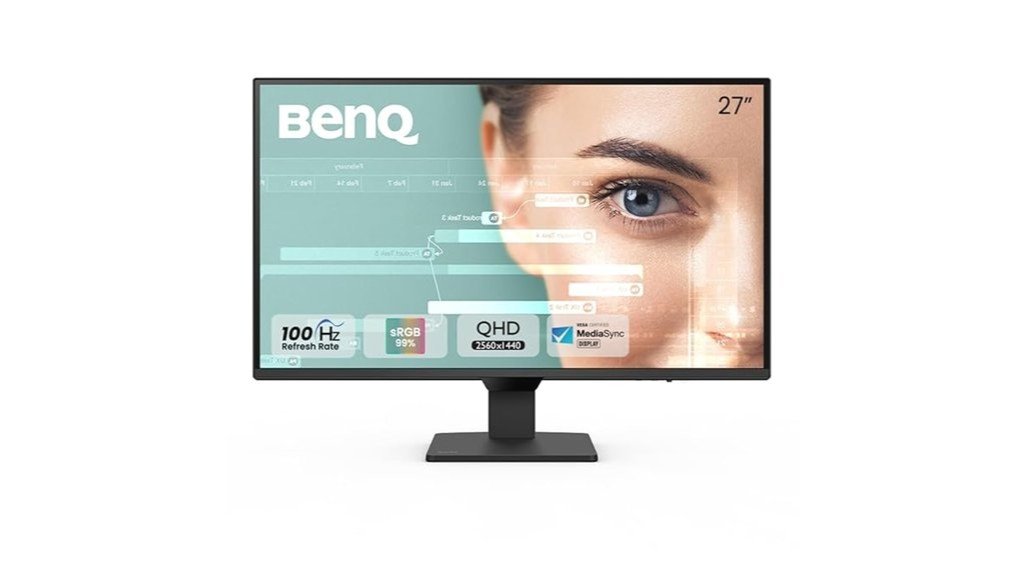
The BenQ GW2790Q 27 Inch 2K QHD IPS Monitor stands out in the sub ₹20,000 category, particularly for professional and home users who demand high resolution and color accuracy. With a resolution of 2560 x 1440 and a 99% sRGB color gamut, it ensures vibrant and precise visuals. The monitor features a 100Hz refresh rate and an ultra-slim bezel, enhancing both performance and design aesthetics. Eye-care technologies like Low Blue Light+ and Eyesafe Certification make it suitable for prolonged use, while connectivity options include dual HDMI and DisplayPort. Overall, it offers excellent value for its price point.
Best For: Professionals and home users seeking a high-resolution monitor with excellent color accuracy and protective eye-care features.
Pros:
- High 2K QHD resolution and 99% sRGB color gamut ensure sharp and vibrant visuals.
- Integrated eye-care technologies like Low Blue Light+ and Eyesafe Certification promote comfortable extended usage.
- Dual HDMI and DisplayPort options provide flexible connectivity.
Cons:
- Limited to a 100Hz refresh rate, which might not satisfy high-end gaming needs.
- No USB ports, which restricts direct connectivity for peripherals.
- Comes from China, which might concern users looking for products from other regions.
Factors to Consider When Choosing Must-Have Monitors Under ₹20,000
When selecting a monitor under ₹20,000, several key factors must be assessed to ensure both functionality and value for money. Display resolution and quality impact the visual clarity and detail, while refresh rate and performance affect how smoothly content is rendered. Additionally, the availability of various connectivity options, ergonomic features, and the type of panel used are crucial in determining the overall user experience.
Display Resolution & Quality
Choosing the right monitor under ₹20,000 necessitates careful consideration of display resolution and quality, which significantly impact visual experience and performance. Monitors like the LG 27US500-W with 4K UHD resolution offer unparalleled clarity and detail, ideal for creative professionals and high-quality content viewing. The BenQ GW2790Q’s 2K QHD resolution marks a considerable step up from Full HD, providing sharper images and enhanced multitasking. For general use, Full HD monitors remain a staple, sufficiently supporting everyday tasks and gaming. Key to a monitor’s appeal is its color accuracy; models with a 90% DCI-P3 color gamut deliver vibrant, true-to-life colors. Additionally, brightness levels between 300-380 nits ensure comfortable viewing in diverse lighting conditions, minimizing eye strain.
Refresh Rate & Performance
As gamers and professional users seek out the best monitors under ₹20,000, understanding the importance of refresh rate and performance becomes crucial. A higher refresh rate like 240Hz or 200Hz greatly enhances gameplay by providing smoother motion and reducing blur, particularly vital in fast-paced games and esports. Although 60Hz monitors are adequate for everyday tasks, they may struggle with high-intensity visuals. For optimal gaming, a refresh rate of at least 120Hz is advisable to improve responsiveness and competitive advantage. Additionally, a low response time, such as 0.5ms, minimizes ghosting and sharpens images during rapid movements. Monitors featuring dynamic refresh rates, like those with AMD FreeSync, also help eliminate screen tearing for a consistently smooth viewing experience.
Connectivity & Ports
Connectivity features significantly influence the functionality and versatility of monitors priced under ₹20,000. Buyers should prioritize models featuring multiple ports like HDMI and DisplayPort, which are essential for connecting a range of devices from gaming consoles to laptops. Additionally, the presence of USB ports enhances convenience by facilitating easy connections to peripherals, although budget monitors might not always include built-in USB hubs. The availability of Type-C ports is particularly advantageous for users seeking to streamline their setup with capabilities for charging and data transfer via a single cable. Furthermore, audio output options such as headphone jacks or built-in speakers, although not universally present, add value for users interested in multimedia experiences.
Ergonomic Design Features
Ergonomic design features significantly enhance the usability and comfort of monitors priced under ₹20,000. Adjustable stands, pivotal in these designs, offer tilt, swivel, and height modifications, crucial for optimal viewing angles and reducing physical strain. VESA mount compatibility is another vital aspect, allowing for flexible placement on arms or wall brackets, which aids in efficient space management and ergonomic positioning. Moreover, the zero frame design of some monitors not only improves aesthetics but also facilitates seamless multi-monitor setups. Additionally, technologies like blue light filters and flicker-free displays are integrated to mitigate eye fatigue during extended use. A stable and robust stand is also essential, ensuring the monitor remains fixed, enhancing overall user comfort.
Panel Type & Color
When selecting a monitor under ₹20,000, panel type and color capabilities are crucial factors to consider. IPS panels are generally preferred for their superior color reproduction and broader viewing angles compared to VA or TN panels. This makes them ideal for tasks that demand precise color accuracy, such as graphic design or photo editing. The range of colors a monitor can display is often specified as color gamut coverage, with figures like 99% sRGB or 90% DCI-P3 being indicative of a robust color range. Additionally, a high contrast ratio, such as 1500:1, offers deeper blacks and more vibrant whites, significantly enhancing image quality and depth perception crucial for a rich viewing experience.
Additional Monitor Features
Beyond basic color and panel specifications, monitors under ₹20,000 offer a variety of additional features that can greatly enhance user experience. High-resolution options such as 4K UHD and 2K QHD provide sharp, detailed images suitable for various tasks, from graphic design to entertainment. For those into gaming or enjoying fast-paced videos, seeking a refresh rate of 100Hz or higher ensures smoother visuals. Eye-care technologies like Low Blue Light and Flicker-Free are essential for reducing eye strain during extended use. Adequate connectivity is also crucial; look for monitors with HDMI, DisplayPort, and USB-C ports for flexibility. Additionally, ergonomic designs with adjustable stands improve comfort and adaptability, enhancing the overall viewing experience.
Conclusion
In conclusion, the selection of monitors under ₹20,000 caters to both general users and avid gamers, offering a range of features from high refresh rates to impeccable resolution. The LG 27US500-W, Lenovo Legion-R25f-30, Acer SH242Y G, MSI MAG 255F, and BenQ GW2790Q each provide unique advantages, making them top choices for budget-conscious buyers seeking quality and performance. Considering these models can significantly enhance user experience while adhering to budget constraints.