


As the boundaries between gaming performance and professional functionality increasingly blur, selecting the right 4K monitor in 2025 becomes crucial for those demanding excellence in both arenas. Models like the Alienware 32-inch QD-OLED and LG 27 Ultragear have set benchmarks by offering not only top-tier visual fidelity but also features that cater to the productivity needs of professionals. This convergence of technology invites a closer look at how these dual-purpose displays are defining the future of both work and play environments.
- Alienware 32-inch 4K QD-OLED Gaming Monitor (AW3225QF)
- LG 27 Ultragear 4K UHD IPS Gaming Monitor (27GR93U)
- BenQ MOBIUZ EX271U 27″ 4K UHD Gaming Monitor
- GIGABYTE M28U 28 Inch 4K Gaming Monitor
- Samsung Odyssey G8 QD-OLED 4K Gaming Monitor (LS27FG810SWXXL)
- Factors to Consider When Choosing 5 4K Monitors for Gaming and Work
- Display Size Variance
- Screen Resolution Impact
- Refresh Rate Importance
- Response Time Relevance
- Connectivity Options
- HDR Technology Benefits
- Ergonomic Design Features
- Brand and Warranty
- Conclusion
Alienware 32-inch 4K QD-OLED Gaming Monitor (AW3225QF)

The Alienware 32-inch 4K QD-OLED Gaming Monitor (AW3225QF) stands out as an exceptional choice for both avid gamers and professionals who demand high-performance displays. Featuring a 31.6-inch diagonal viewing size and a 3840 x 2160 resolution at a remarkable 240 Hz refresh rate, this monitor delivers crisp, vibrant visuals. With a 0.03ms response time and a contrast ratio of 1 million:1, it ensures seamless gameplay and excellent image depth. Connectivity is robust, including DisplayPort 1.4 and HDMI 2.1 options, complemented by five USB 3.2 Gen 1 ports. The monitor’s sleek design and anti-reflection screen coating enhance its user appeal.
Best For: Gamers and creative professionals seeking a high-resolution display with exceptional refresh rate and color accuracy for an immersive experience.
Pros:
- Ultra-fast 0.03ms response time and 240Hz refresh rate for superior gaming performance.
- High contrast ratio of 1 million:1 and Dolby Vision support ensures stunning visual clarity and depth.
- Comprehensive connectivity with DisplayPort 1.4, HDMI 2.1, and multiple USB 3.2 ports.
Cons:
- Higher price point may not be suitable for budget-conscious buyers.
- Large size and weight could pose challenges for smaller desk spaces.
- Limited availability as a newer model, potentially affecting ease of purchase.
LG 27 Ultragear 4K UHD IPS Gaming Monitor (27GR93U)
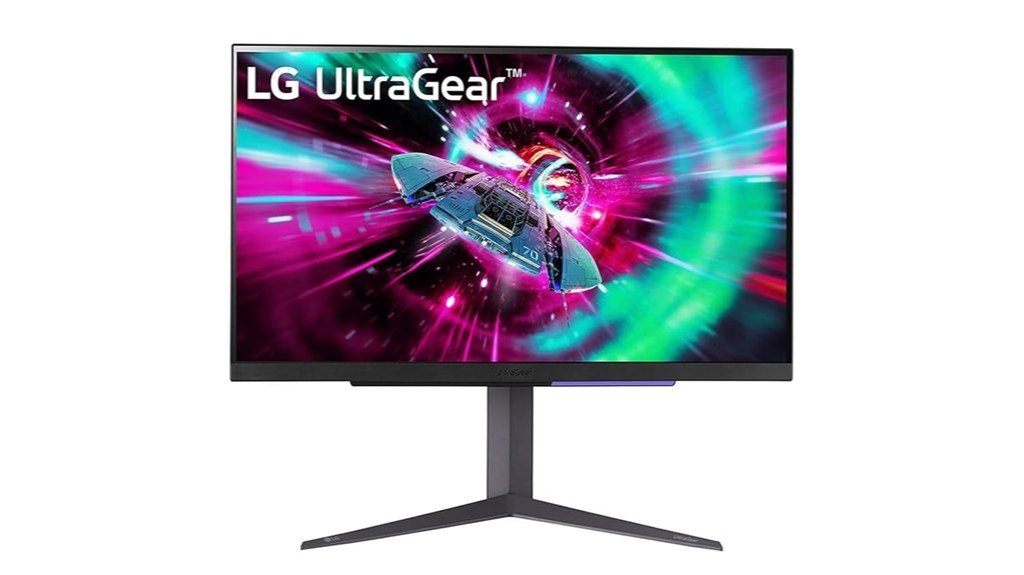
Ideal for both hardcore gamers and professionals seeking impeccable display quality, the LG 27 Ultragear 4K UHD IPS Gaming Monitor (27GR93U) stands out with its superior 4K resolution and IPS technology. This 27-inch monitor delivers a crisp, vibrant display at a 3840 x 2160 resolution, enhanced by HDR capabilities and a color gamut that covers 95% of the DCI-P3 spectrum. It supports high dynamic gaming with a 144Hz refresh rate over HDMI 2.1 and 1ms response time. For seamless play, it integrates NVIDIA G-SYNC and AMD FreeSync Premium. Additionally, the monitor offers robust connectivity with multiple HDMI and DisplayPort options.
Best For: Ideal for avid gamers and creative professionals who require high-resolution, color-accurate displays with fluid motion.
Pros:
- High refresh rate of 144Hz supports ultra-smooth gaming experiences.
- Dual compatibility with NVIDIA G-SYNC and AMD FreeSync Premium for reduced screen tearing.
- Comprehensive color support with DCI-P3 95% for vivid and accurate visuals.
Cons:
- Limited HDR capability with VESA DisplayHDR 400, which may not satisfy the highest standards for HDR content.
- Weight of 8.8 kg might be considered bulky for some desk setups.
- No USB ports, which limits connectivity options for peripherals.
BenQ MOBIUZ EX271U 27″ 4K UHD Gaming Monitor
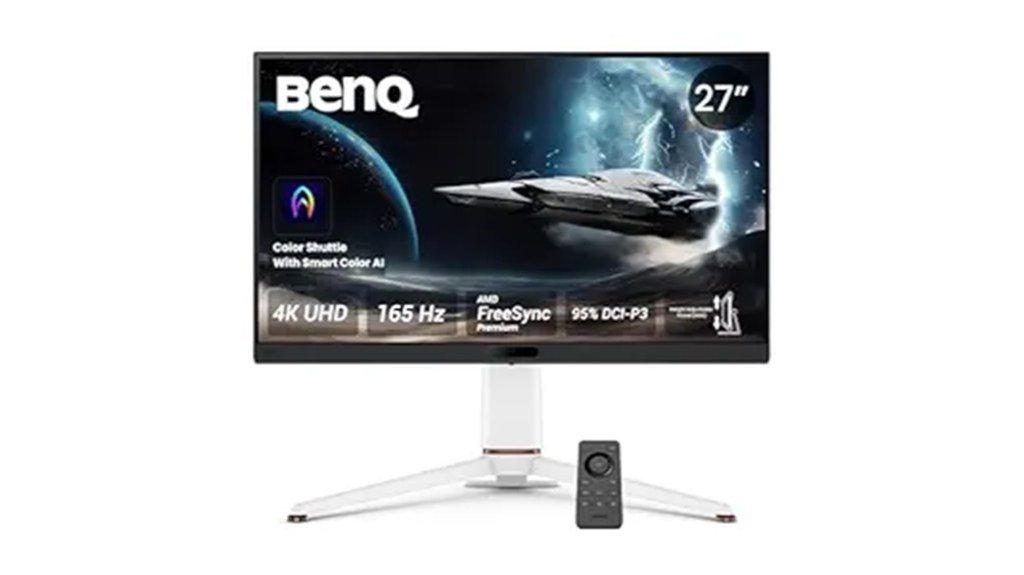
Gamers and professionals seeking an optimal balance between high-resolution visuals and swift performance will find the BenQ MOBIUZ EX271U 27″ 4K UHD Gaming Monitor an excellent choice. With a 165Hz refresh rate and 1ms GTG response, it ensures smooth, tear-free gameplay and rapid display reactions. The monitor excels in color accuracy and depth, equipped with Game Optimized Color and AI Contrast to enhance visual clarity in dark scenes. Its comprehensive connectivity, including HDMI 2.1 and USB-C, caters to diverse setup needs. Additionally, ergonomic adjustability and a sleek design make it a practical and stylish addition to any workspace.
Best For: Gamers and multimedia professionals who demand high-resolution, fast-paced visuals with extensive connectivity options.
Pros:
- High 165Hz refresh rate and 1ms GTG response time for seamless gaming performance.
- Wide range of connectivity options including HDMI 2.1, USB-C, and more.
- Advanced color technology and AI contrast enhance visual clarity and detail.
Cons:
- Higher price point due to advanced features and specifications.
- Large size and weight may require more desk space and robust mounting solutions.
- Potential overkill for users with basic display needs or non-gaming purposes.
GIGABYTE M28U 28 Inch 4K Gaming Monitor

For those seeking a balance between high-resolution gaming and productive work environments, the GIGABYTE M28U stands out with its 28-inch 4K display that boasts a rapid 144Hz refresh rate, making it a versatile choice for both play and professional tasks. The monitor features a sharp SS IPS panel, delivering a 1ms GTG response time and supporting high dynamic range content up to VESA Display HDR400. Color accuracy is ensured with 94% DCI-P3 and 120% sRGB coverage. Connectivity is robust, including two HDMI 2.1 ports, a DisplayPort 1.4, and multiple USB 3.0 ports. This model also includes integrated speakers and essential cables.
Best For: Gamers and professionals who need a high-resolution monitor with fast refresh rates for both intense gaming sessions and productive multitasking.
Pros:
- High refresh rate of 144Hz and 1ms response time for smooth gaming performance.
- Excellent color accuracy with 94% DCI-P3 and 120% sRGB coverage, suitable for professional design work.
- Variety of connectivity options including HDMI 2.1, DisplayPort 1.4, and USB Type-C.
Cons:
- Limited HDR capabilities with only HDR400 support.
- Moderate customer reviews with an average rating of 3.4 out of 5 stars.
- Higher price point compared to similar monitors in its category.
Samsung Odyssey G8 QD-OLED 4K Gaming Monitor (LS27FG810SWXXL)
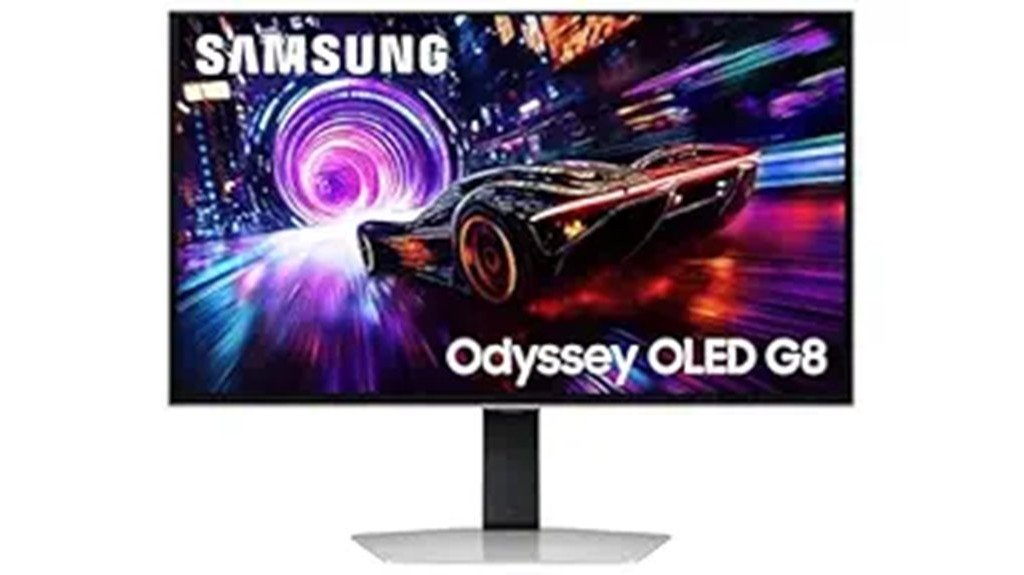
The Samsung Odyssey G8 QD-OLED 4K Gaming Monitor (LS27FG810SWXXL) emerges as a top contender in the dual realms of high-intensity gaming and dynamic professional work environments. Boasting a 27-inch display with a UHD resolution of 3840 x 2160 pixels, it offers a 240 Hz refresh rate and a rapid 0.03ms response time. This monitor features Quantum Dot OLED technology, delivering a billion colors and a 99% color gamut. Its ergonomic design includes an adjustable stand and compatibility with wall mounts, enhancing its utility. The inclusion of AMD FreeSync Premium Pro and HDR10+ support further ensures a seamless viewing experience.
Best For: Gamers and professionals seeking a high-performance monitor with stellar image quality and advanced features.
Pros:
- Exceptional color accuracy and depth with Quantum Dot OLED technology and 1 billion color support.
- Ultra-fast 240 Hz refresh rate and 0.03ms response time for seamless gaming and video playback.
- Comprehensive ergonomics with adjustable stand and wall mount compatibility.
Cons:
- Relatively low brightness level at 250 cd/㎡ compared to other high-end gaming monitors.
- Limited USB connectivity with only two USB Type-A downstream ports.
- Average customer reviews suggest potential concerns with quality or performance consistency.
Factors to Consider When Choosing 5 4K Monitors for Gaming and Work
When selecting a 4K monitor for gaming and work, it is crucial to consider several key factors that impact performance and user experience. Display size, screen resolution, refresh rate, response time, and connectivity options each play a distinct role in how well a monitor meets specific needs. Understanding these elements helps in making an informed choice that aligns with one’s personal or professional demands.
Display Size Variance
Choosing the right display size is crucial for optimizing both gaming and work experiences on a 4K monitor. For gamers, larger monitors like a 32-inch display can enhance immersion with expansive visuals, while a 27-inch monitor may offer better pixel density, ideal for those who prefer sitting closer to the screen. Conversely, competitive gamers might opt for smaller screens to facilitate quick head movements and maintain effective peripheral vision. In a work setting, larger screens improve multitasking capabilities by allowing multiple windows to be open simultaneously, enhancing productivity. Despite these size variations, the standard aspect ratio of 16:9 ensures a consistent viewing experience across different monitor sizes, maintaining uniformity in user experience.
Screen Resolution Impact
After considering display size, another important aspect to evaluate is screen resolution, particularly the impact of 4K technology in monitors used for both gaming and work. A 4K resolution, or 3840 x 2160, offers a higher pixel density than lower resolutions, providing sharper images and more detailed visuals crucial for both immersive gaming and precision tasks in professional settings. These monitors support a vast color spectrum, capable of displaying over 1 billion colors, which is essential for graphic design and video editing due to its accurate color representation. Additionally, the enhanced resolution enables more detailed textures and environments in games, significantly improving the overall visual experience and making it more engaging and realistic.
Refresh Rate Importance
Refresh rate emerges as a pivotal factor in the selection of 4K monitors tailored for both gaming and professional applications. For gaming, a high refresh rate, such as 240Hz, is crucial as it allows the display to handle more frames per second, ensuring smoother motion and minimal motion blur in fast-paced environments. Competitive gamers particularly benefit from monitors offering at least 144Hz, which enhances responsiveness and elevates the gaming experience. Conversely, monitors with a lower refresh rate, like 60Hz, often experience lag and screen tearing, especially in action-packed or racing games. Additionally, for those using next-generation gaming consoles, choosing a monitor that supports 120Hz or higher via HDMI 2.1 is vital to fully utilize the console’s capabilities.
Response Time Relevance
When selecting a 4K monitor for gaming and work, understanding the relevance of response time is crucial. Response time indicates how quickly a pixel can transition between colors, directly influencing motion clarity. For gamers, lower response times—typically between 0.03ms and 1ms—minimize motion blur and ghosting effects, critical during fast-paced sequences. These swift transitions enhance the gaming experience by providing smoother and more accurate visuals. Competitive players should prioritize monitors with a 1ms response time to reduce lag noticeably. With advancements in technology, modern monitors employing OLED or fast IPS panels have pushed response times down further, significantly improving not just gaming performance but also color fidelity and latency, crucial for both gaming and professional tasks.
Connectivity Options
Building on the importance of response time in 4K monitors, it is equally important to consider the connectivity options available. Essential ports like HDMI 2.1 and DisplayPort 1.4 are critical, supporting high refresh rates and resolutions vital for optimal gaming and work performance. The inclusion of multiple USB ports, including USB 3.0 or USB-C, facilitates easy connection with peripherals such as keyboards, mice, and external drives. Audio output options, like headphone jacks or built-in speakers, enhance the user experience by providing integrated audio solutions. Additionally, features like eARC can be beneficial for those who wish to connect their monitor to a home theater system. Monitors with multiple HDMI and DisplayPort inputs are preferable for seamless switching between gaming and professional tasks.
HDR Technology Benefits
High Dynamic Range (HDR) technology stands as a pivotal advancement in display technology, particularly beneficial in the realm of 4K monitors for gaming and work. It significantly enhances the contrast ratio, achieving levels up to 1,000,000:1. This improvement allows for deeper blacks and more luminous highlights, crucial for both detailed gaming visuals and precision in professional tasks. Additionally, HDR supports a broader color gamut, capable of displaying over a billion colors, which sharpens the richness and accuracy of on-screen images. Compliant with standards like VESA DisplayHDR, these monitors ensure minimum brightness levels and superior color performance. For gamers, HDR technology means more immersive environments and vividly rendered scenes, elevating the overall interactive experience.
Ergonomic Design Features
Ergonomic design features are crucial in selecting 4K monitors for both gaming and work environments. Adjustable stands, a standard on many high-quality monitors, offer pivotal adjustments like height, tilt, swivel, and pivot capabilities. These features accommodate individual viewing preferences and play a significant role in reducing physical strain. Height adjustments keep the screen at an optimal eye level, crucial for comfort during long hours of use. Tilt and swivel adjustments enhance viewing angles and minimize glare from surrounding lighting, while pivot functionality supports vertical-oriented tasks, enhancing productivity in coding or document editing. Additionally, slim bezels and customizable lighting not only improve the aesthetic appeal but also contribute to a more engaging gaming experience.
Brand and Warranty
While selecting a 4K monitor for gaming and work, it is essential to consider the brand’s reliability and the warranty provided. Brands with strong reputations often display consistent quality and robust performance, critical for both gaming and professional tasks. The warranty period, which can extend up to three years, offers a safety net against potential defects. User ratings, typically ranging from 3.4 to 5.0 stars, reveal public trust and satisfaction levels. Moreover, responsive customer service is crucial for resolving any issues swiftly, ensuring minimal disruption. Established brands frequently lead in technological advancements, offering superior refresh rates and color accuracy, thereby enhancing the overall experience in both gaming and work environments.
Conclusion
In conclusion, the year 2025 offers an array of top-tier 4K monitors that excel in both gaming and professional tasks. Models like the Alienware 32-inch QD-OLED and LG 27 Ultragear combine cutting-edge display technology with features tailored for versatility, such as high refresh rates and impeccable color accuracy. Whether for immersive gaming sessions or intricate graphic design, these monitors represent the pinnacle of dual-purpose display technology, meeting the needs of both demanding gamers and creative professionals.

